
TALENT: How do I Login to FastCast?
This article explains how to access the FastCast platform using our secure, passwordless login system. We’ll walk you through the steps for both the mobile app and the web portal to ensure you can get to work quickly.
How Does the Login Process Work?
FastCast uses One-Time Password (OTP) authentication to keep your account secure without the hassle of remembering another password.
Your registered phone number serves as your login credential.
Instead of a traditional password, you will receive a unique 6-digit code for each new login session.
OTP delivery and validity are managed by a secure third-party provider.
How Do I Login to the Mobile App (Talent)?
If you are using a mobile device, follow these steps to access your account:
Open the FastCast app on your device. Select Login

Enter your registered phone number.
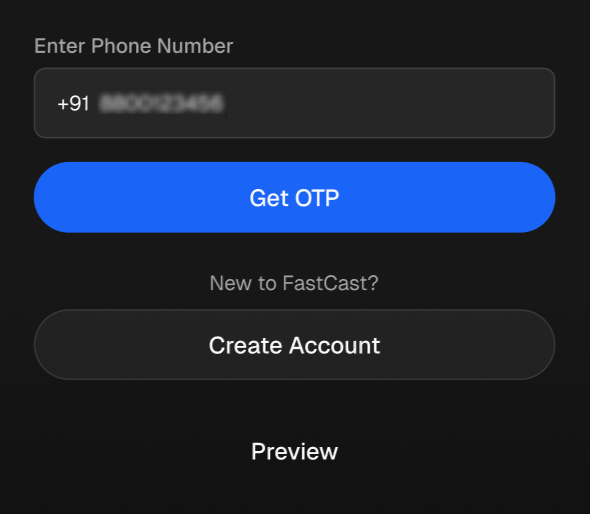
Check your messages for a 6-digit OTP sent via SMS or WhatsApp.
Enter the 6-digit OTP into the app.
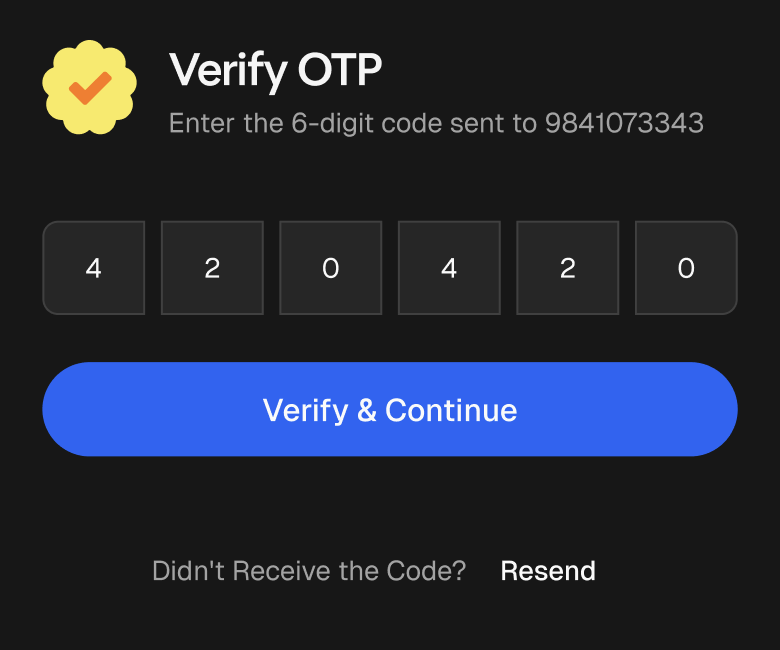
Note: After your first login, subsequent logins on the same device will not require you to enter an OTP unless the account has been logged out.
FAQ's
What should I do if I don't receive my OTP?
If the code does not arrive, first double-check that you entered the correct phone number associated with your account. If the number is correct and you still haven't received a code, please wait a moment and try the request again