
TALENT: What are Direct Link / Guest Submissions and Open Calls?
When an actor or talent discovers an open call through a direct link—such as a QR code on a physical poster or a link shared on social media platforms like Instagram—they are categorized as a Direct Link Guest. This feature allows individuals to apply for roles without the immediate need to create a permanent account or subscription.
What is a Direct Link Guest?
Normally, unregistered guests browsing the platform encounter a blurred feed that restricts access to specific role details. However, using a direct link allows a talent to bypass these restrictions for that specific role. As a Direct Link Guest, the talent can:
View the complete details of the specific role associated with the link.
Access the application portal without the immediate need to create an account.
Submit a one-time Free Guest Application by providing basic personal information, uploading necessary photos, and including a brief explanation of why they are a fit for the role.
Free Guest Application Requirements
When a talent selects the "Free Guest Submission" option, they are required to complete a one-time application form.
To ensure they can be reached, the form mandates the following information:
Full Name
Age and Gender
Current City
10-digit Phone Number (Mandatory)
Email Address (Optional)
How Guest Applicants are Notified
It is important for guest applicants to understand that their submission does not automatically create a full account. Because of this, the standard automated notification system functions differently:
No In-App Notifications: Guest talents will not receive automated system updates or push notifications.
No Dashboard Access: Guests do not have access to an internal "Submissions" tracking tab or an in-app inbox to monitor their status.
Reviewing Submissions: Guest submissions are not visible after being sent to Casting.
Instead, guest applicants are notified directly and manually by the Casting Director. The communication will occur using the contact information provided during the initial submission process.
Open Call Submissions
"Open Calls" is a new role status on the FastCast app. Unlike standard "Exclusive" roles, Open Call roles are fully public. They appear in a dedicated Open Casting Calls tab in the home page and are accessible without an account.
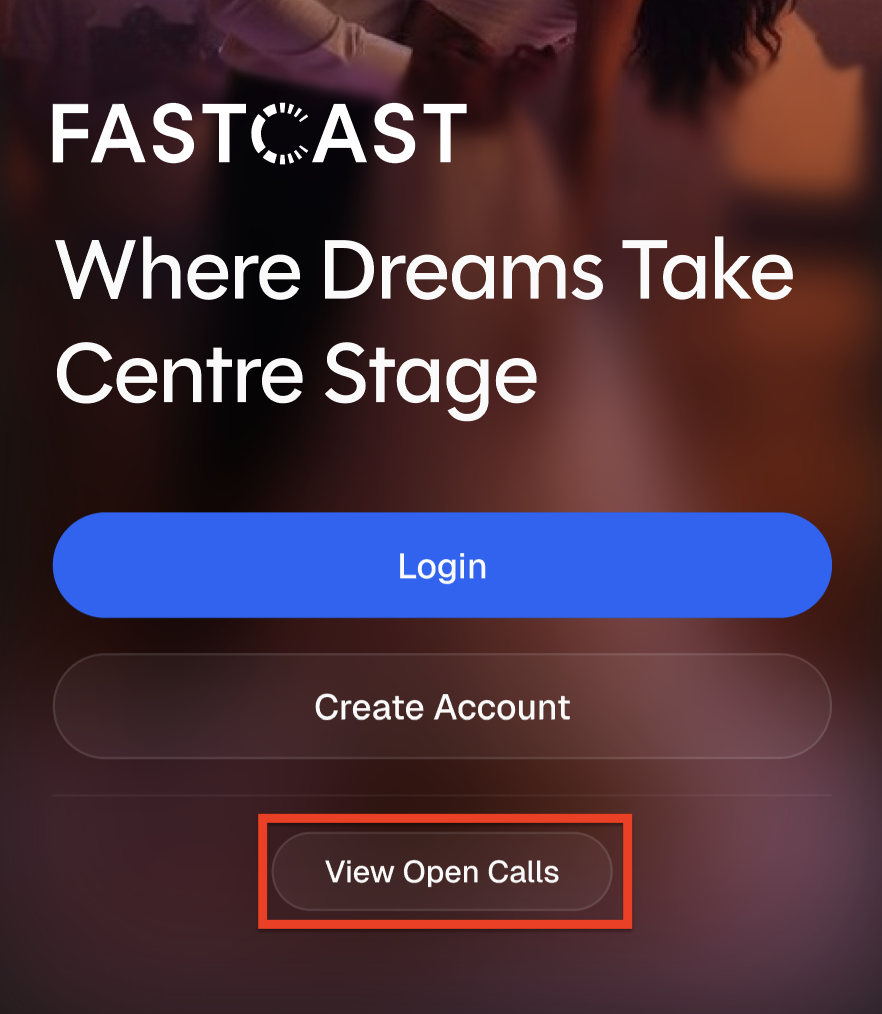
To begin viewing Open Calls, first select View Open Calls at the login page.
The Home Page now displays two tabs "Casting Calls" and "Exclusive". The roles listed under Casting Calls are available for you to submit without fully registering.
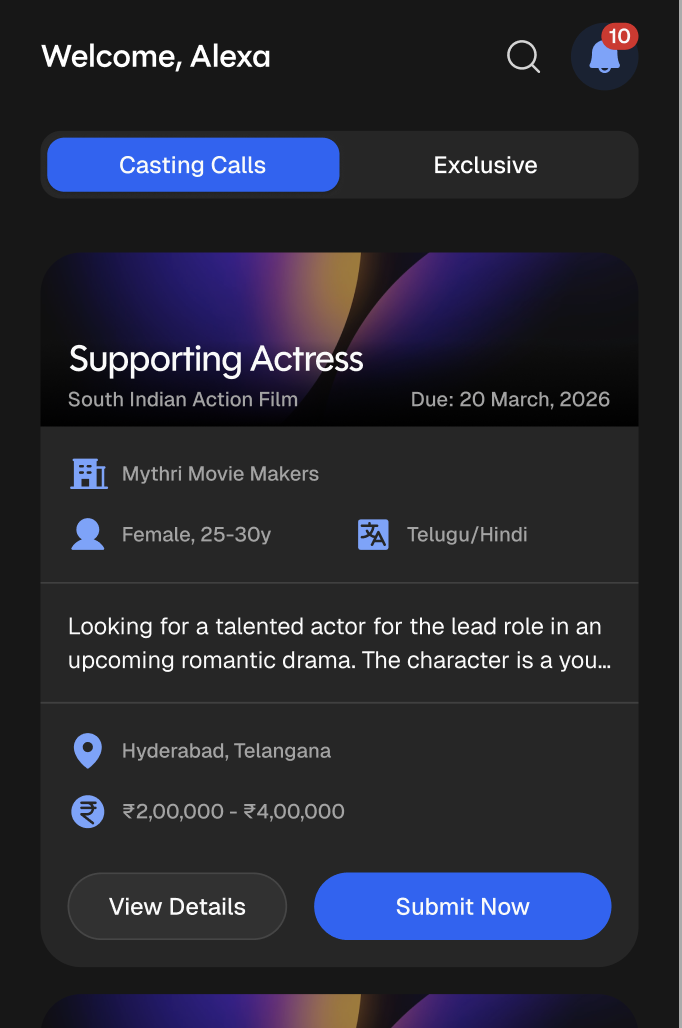
Here you can view the brief details of the role. This includes the Role Name, Age Range, Language, and Location. Selecting Submit Now displays the full details of the role.
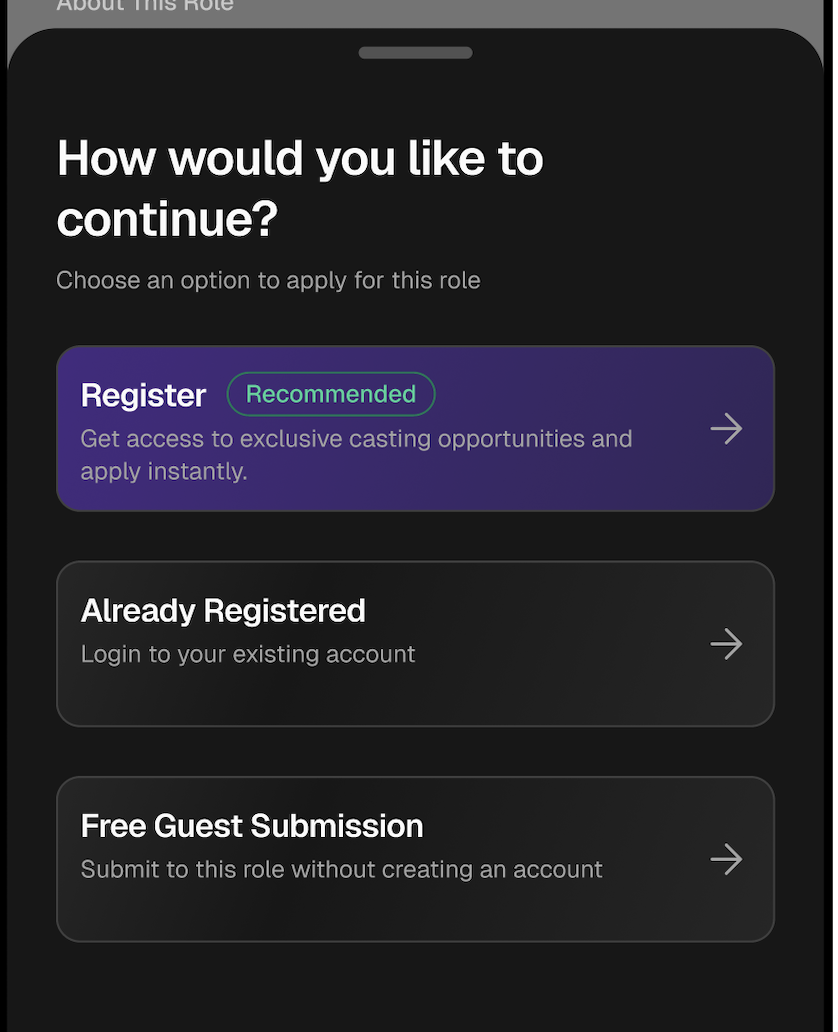
Selecting Submit Now once more will display a pop-up requiring you to choose whether you'd like to Login/Register or to continue with a Free Guest Submission.
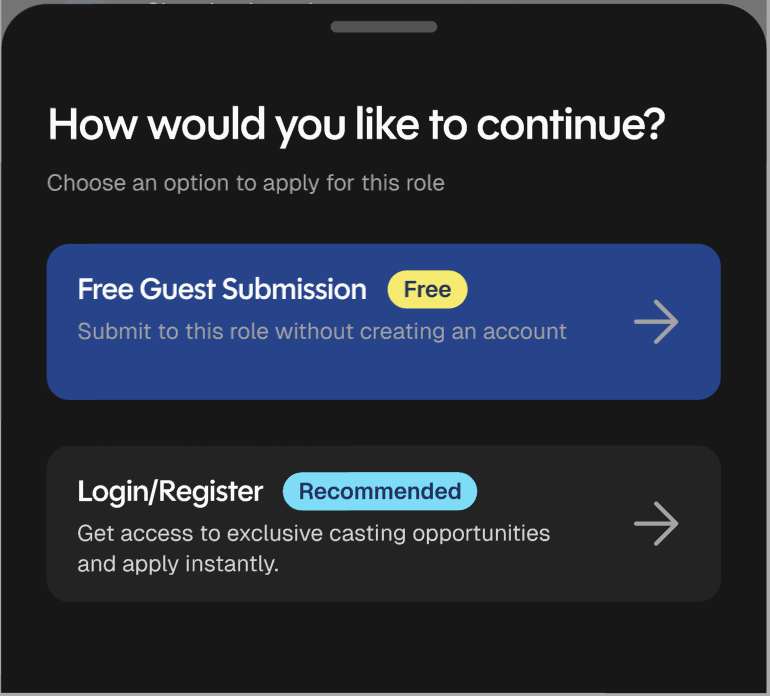
Choosing Login/Register will begin the process of creating a full account and profile on FastCast or logging into their existing account.
Choosing Free Guest Submission then takes you to the Applying as Guest page. This is the process of creating a temporary profile containing the necessary information casting needs.
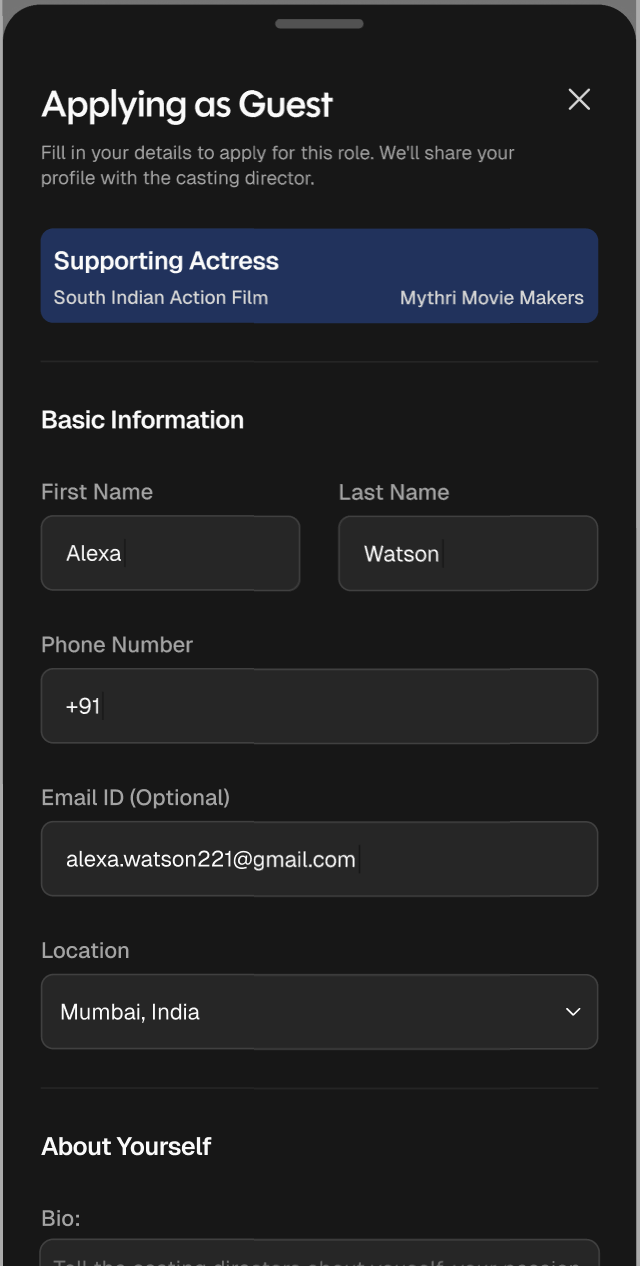
On the Applying as Guest page, you will fill out the following fields:
Name
Phone Number
Email (Optional)
Location
Bio
Gender
Age Range / Sizes
Skills
Languages
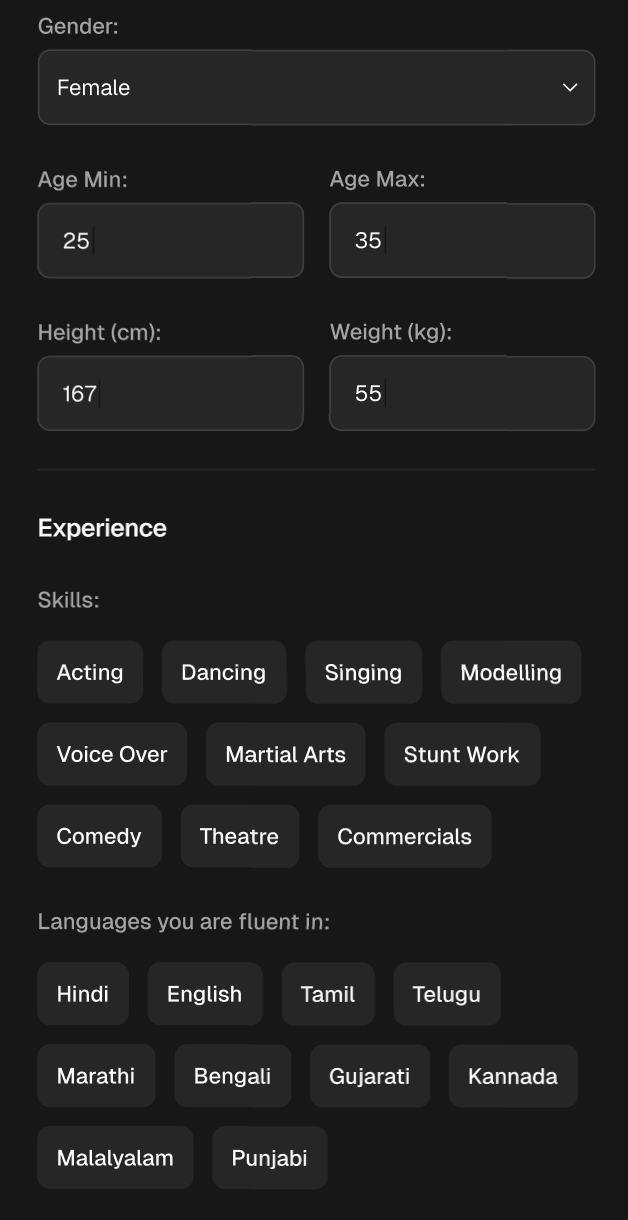
The bottom of the page provides options to upload Photos and an Introduction Video as well as any message you'd like to share with casting.
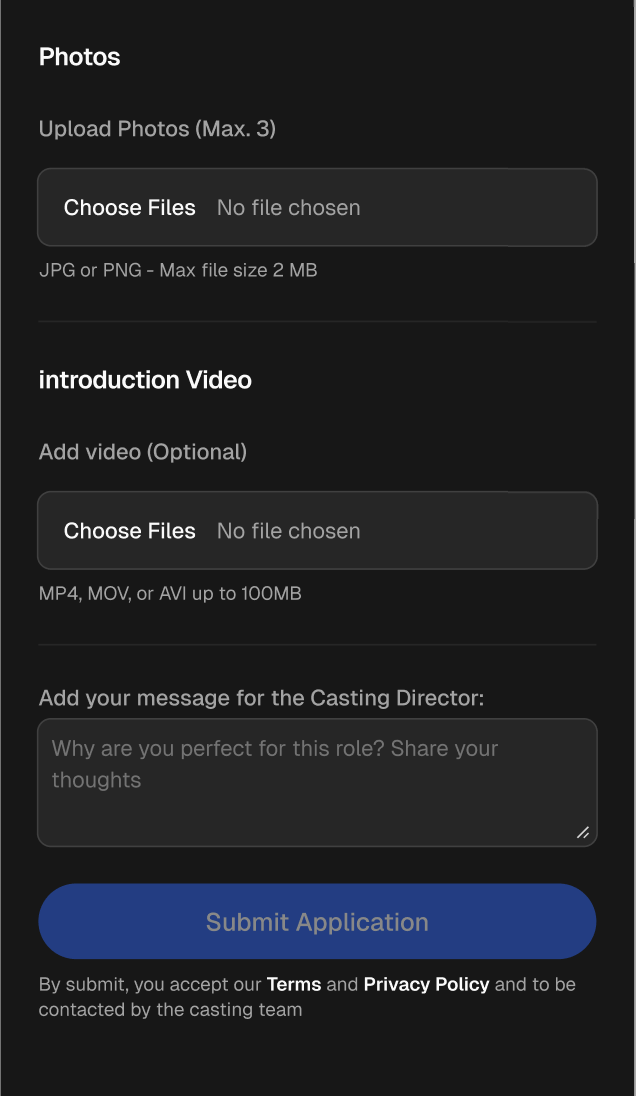
Once you've reviewed your basic submission information and media to be accurate, you can select, Submit Application.
The system will then send you a six digit, One-Time Password (OTP), using the phone number you entered during your application. Enter that password on the following page:
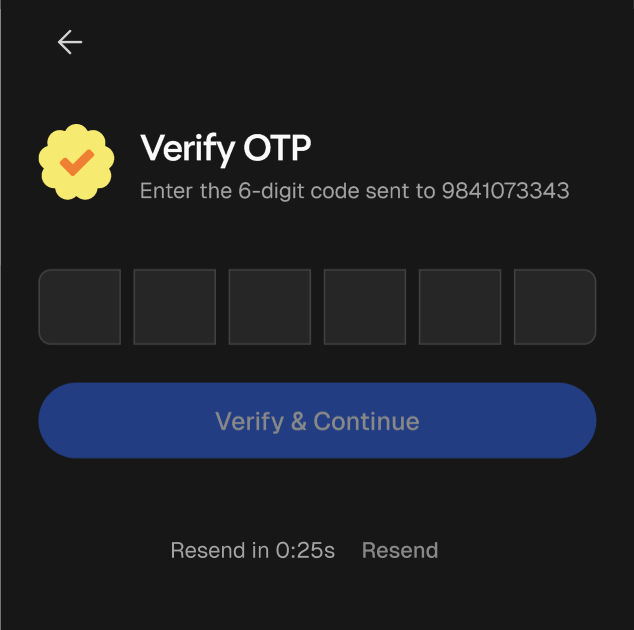
If the code has been entered correctly you'll then see a page confirming your application was successfully submitted.
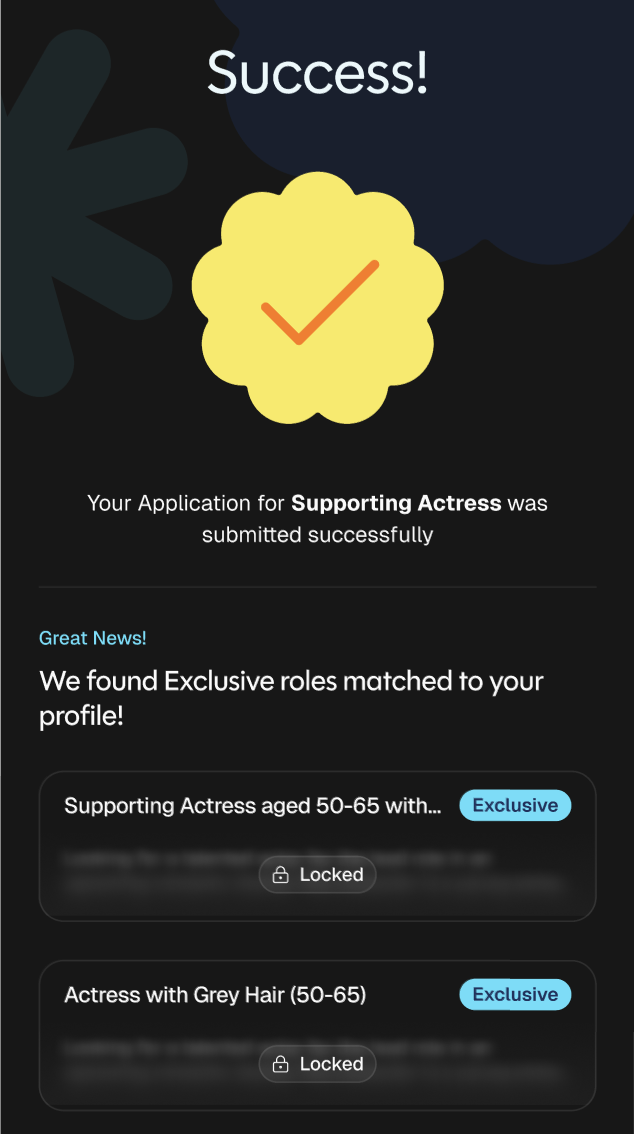
Additionally, you'll be shown Exclusive roles that matched your information within your application. These roles cannot be accessed through Open Calls and require you to register before being able to submit.