
TALENT: How do I register as a talent on FastCast?
This article explains the registration process for talent on FastCast, including the differences between subscription plans, and how to manage your payments and cancellations. Whether you're a seasoned pro or just starting out, this guide will help you get your profile up and running so you can start browsing roles.
Where to Start?
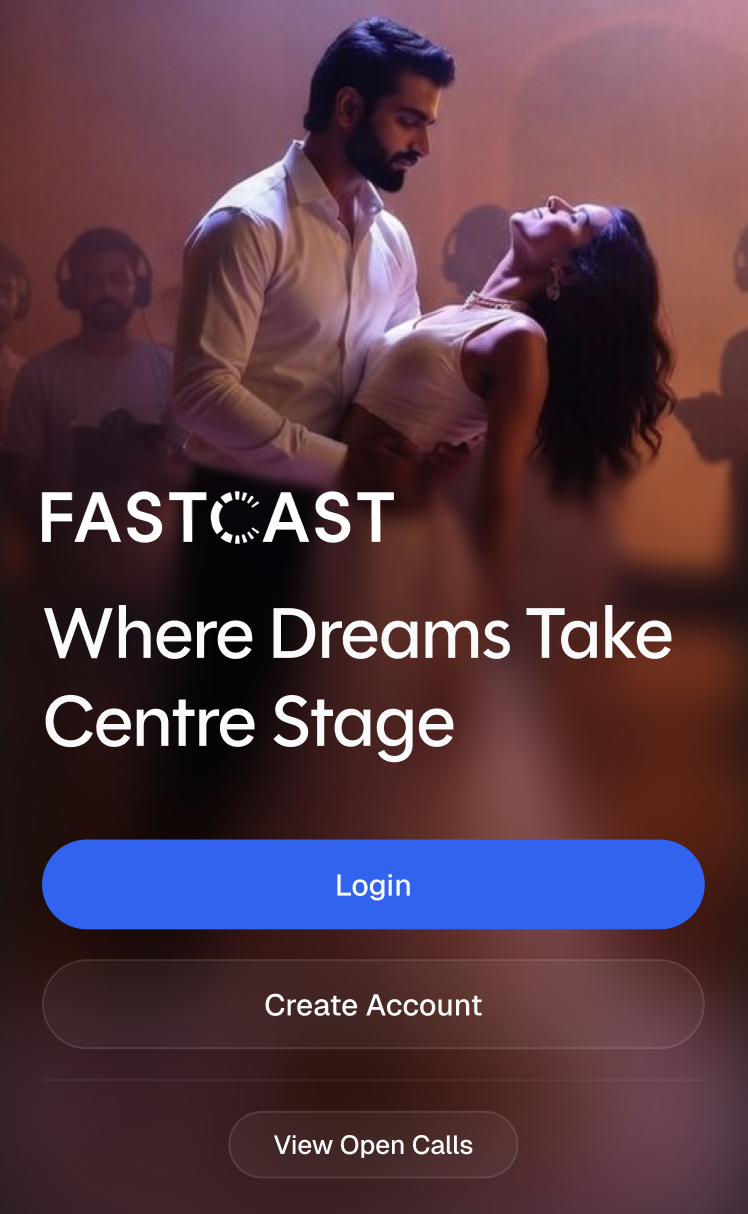
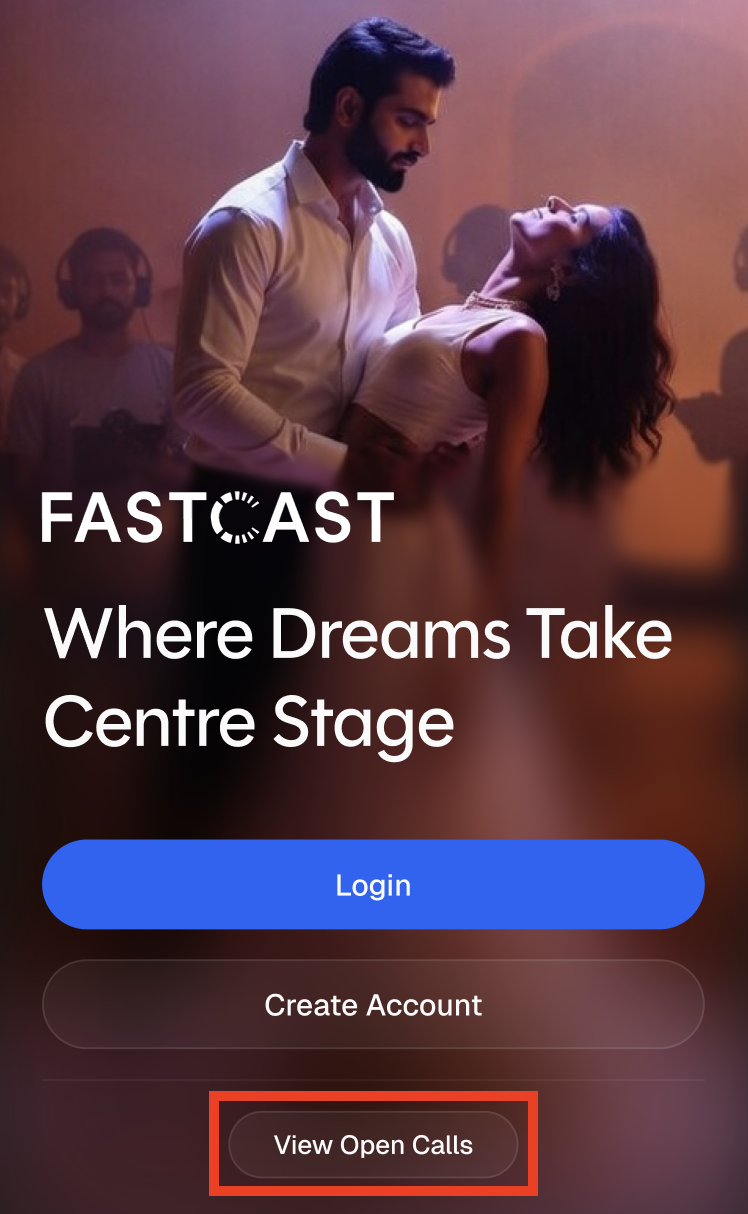
First, you'll need the FastCast app - see instructions here. Once you've downloaded it, you'll land on the home screen where you'll see three options:
Login — Already have an account? Log in here.
Create Account — New to FastCast? This is where you'll set up your profile and choose a membership plan to create a saved profile and submit to exclusive roles.
View Open Calls — Want to browse roles and submit to open call roles before committing? You can do that without creating an account (more on this below).
How Do I Register for a membership?
Registration moves quickly, but it's important to complete all the steps in one go — your progress will not be saved unless you've completed the entire process.
Here's what you'll work through:
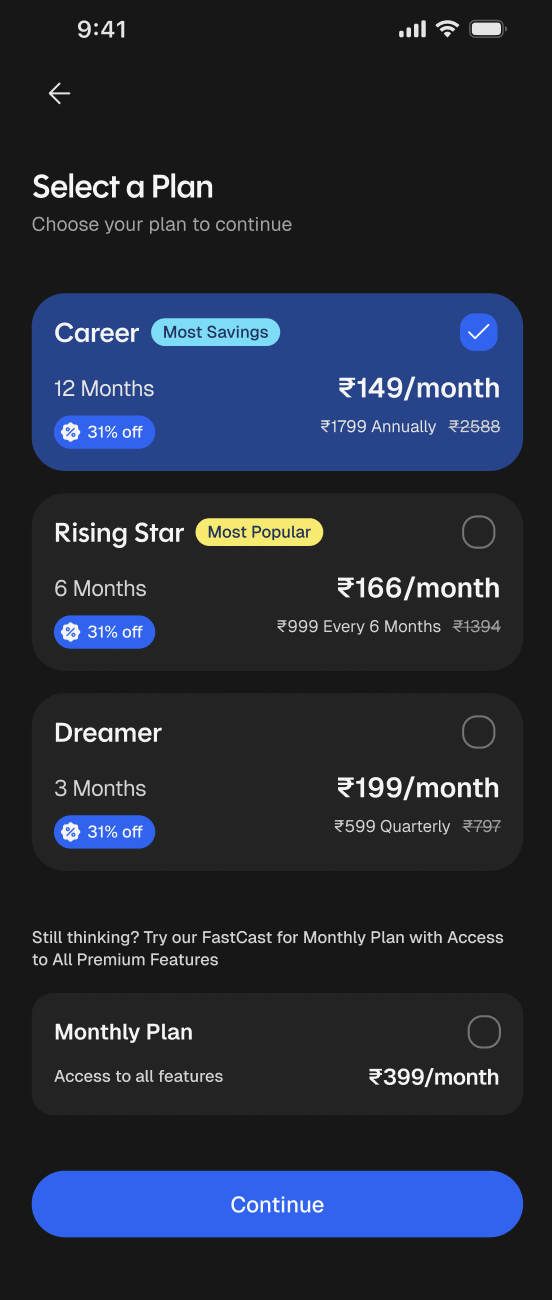
Plan Selection (Required): Choose the membership plan that's right for you and begin registration.
Your Name and Location (Required): Enter your first name, last name, and city. Your location is auto-detected, but you can search and select from a full list of cities in India.
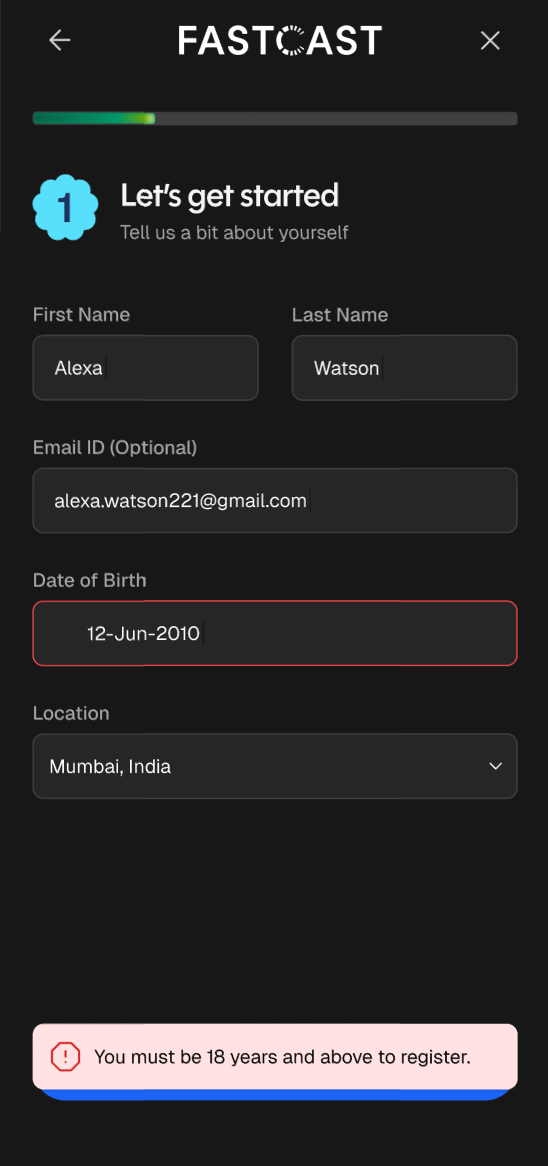
Please Note: Entering your Date of Birth is not required, talent must be over 18 years old in order to register.
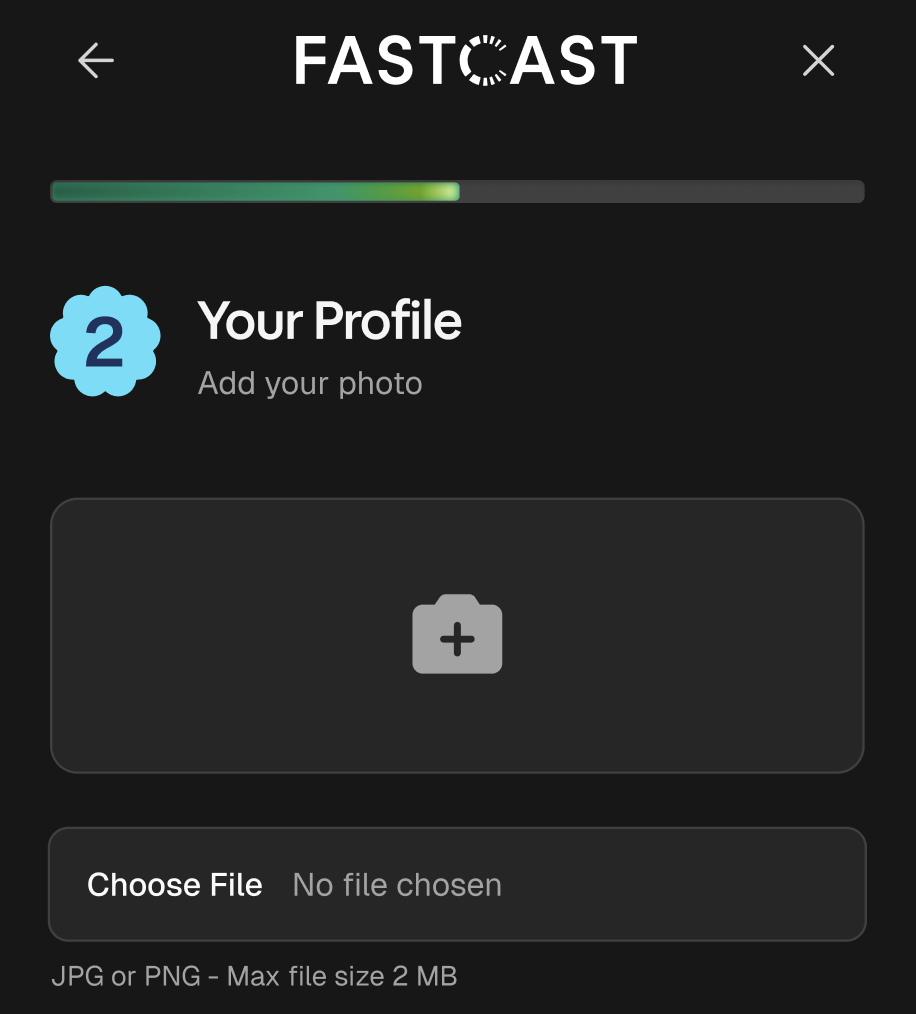
Your Profile (Required): Upload a headshot photo from your phone gallery or take a photo through the app.
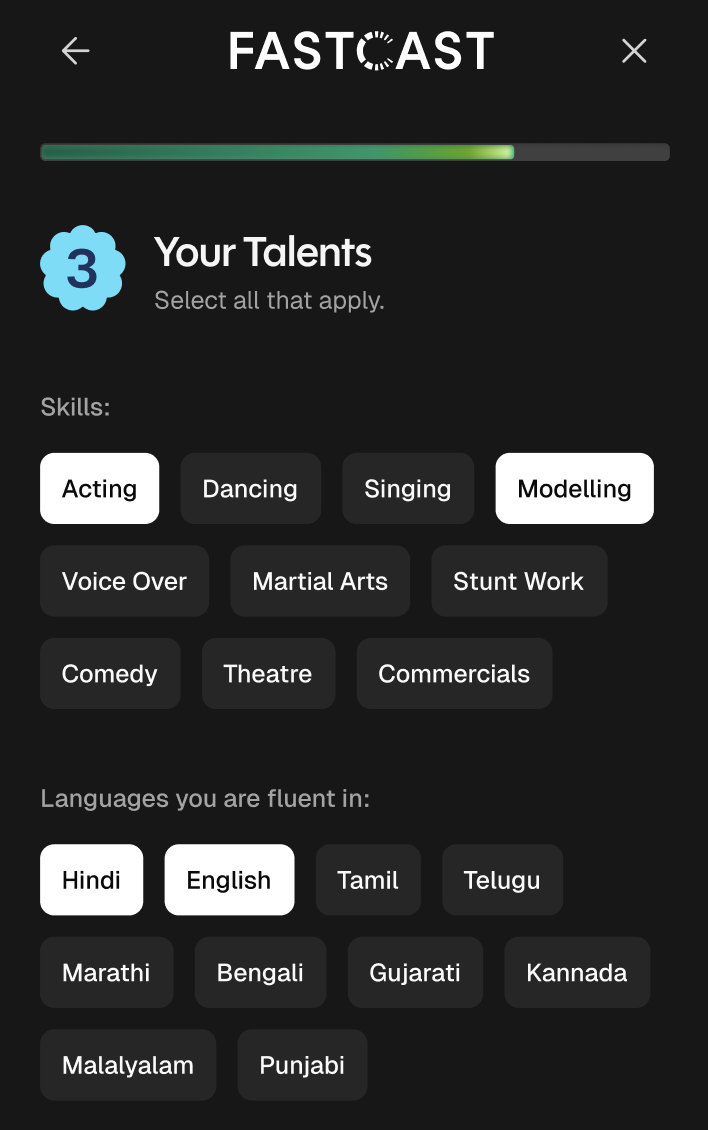
Skill and Languages (Required): Select at least one value from the Skills list and at least one from the Languages section. These are static options provided in the app.
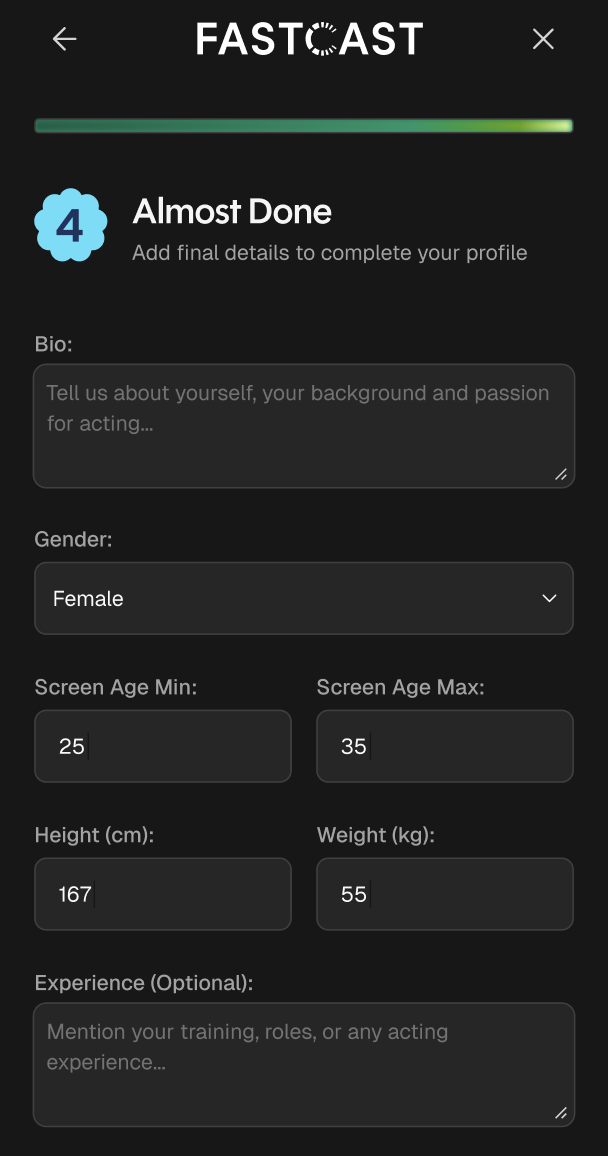
Bio and Physical Details (Required): Enter your bio, playable age range, height, and weight. Adding information in the Experience field is optional.
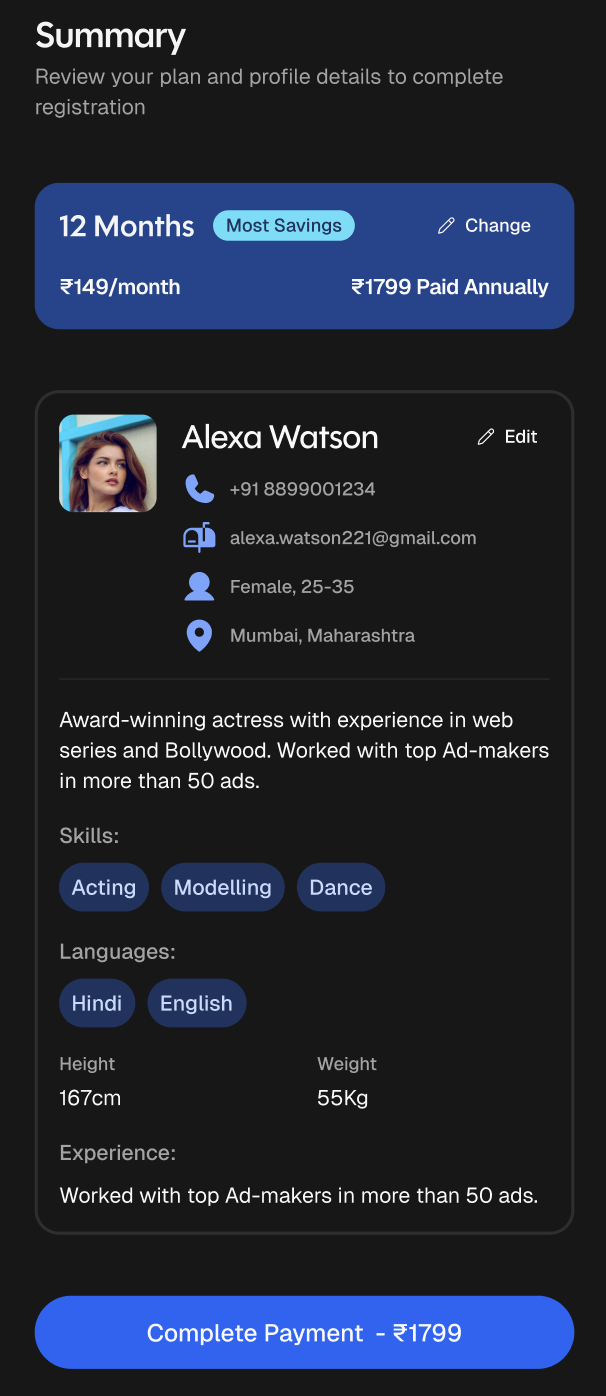
Summery: Review your Plan and Profile details to complete registration. Once confirmed, select Complete Payment at the bottom of the screen.
The following page will inform you that your payment was successful or payment has Failed. If payment has Failed, you do have the option to Retry Payment.
What Are the Membership Plan Options?
Membership plans are charged in full at the start of the subscription and will auto-renew at the end of the term under the same plan you selected.
Plan | Duration | Price |
Career (Most Savings) | 12 Months | ₹1,799 annually (~₹149/month) 31% off |
Rising Star (Most Popular) | 6 Months | ₹999 biannually (~₹166/month) 31% off |
Dreamer | 3 Months | ₹599 quarterly (~₹199/month) 31% off |
Start Your Journey | 1 Month | ₹399 monthly |
Can I browse roles without creating an account?
Yes! FastCast offers a preview experience that allows anyone to browse the role feed without registering or logging in. This is also where you can submit to Open Call Roles for free!
At the login screen, select View Open Calls
From there, you can browse available roles and submit to open call castings.
Keep in mind that some features are only available to registered members. Here's a quick comparison:
Feature | Open Call View | Premium |
Browse the role feed | Yes | Yes |
Submit to Open Call Roles | Yes | Yes |
Submit to exclusive roles | No | Yes |
Customize and share your Profile | No | Yes |
Upload submission media (2 photos, 1 video) | No | Yes |
Write a submission note | No | Yes |
Note: Exclusive roles will show a name and description, but the full details are locked. Tap Register to Unlock to start the registration flow.
Frequently Asked Questions
What happens if my payment fails?
You'll see a notification letting you know the payment didn't go through. From that screen, you can select Retry Payment to try again.
What if the phone number I enter is already registered?
If you enter a phone number that's already linked to an account, the app will route you to the login flow instead of continuing with registration.